Long story short
From 10 owner interviews to a tested MVP
01 Discovery
Scoped from the user up
Distilled 10 owner interviews into four core pain points, each mapped to a specific MVP feature.
02 Architecture
Architected the system
Designed how data flows from four live integrations and uploaded documents into one central knowledge base. Spec'd 9 core AI behaviors, unblocking three engineers to build 15 skills.
03 Validation
Tested and iterated with owners
Led usability testing with 5 target users, cutting task time 38%. The findings reshaped the Gmail integration, chat onboarding and v2 roadmap.
Core question
How might we help small-business owners run their business across many tools without constant app switching?
Speaking to users
Ten conversations shaped what we built
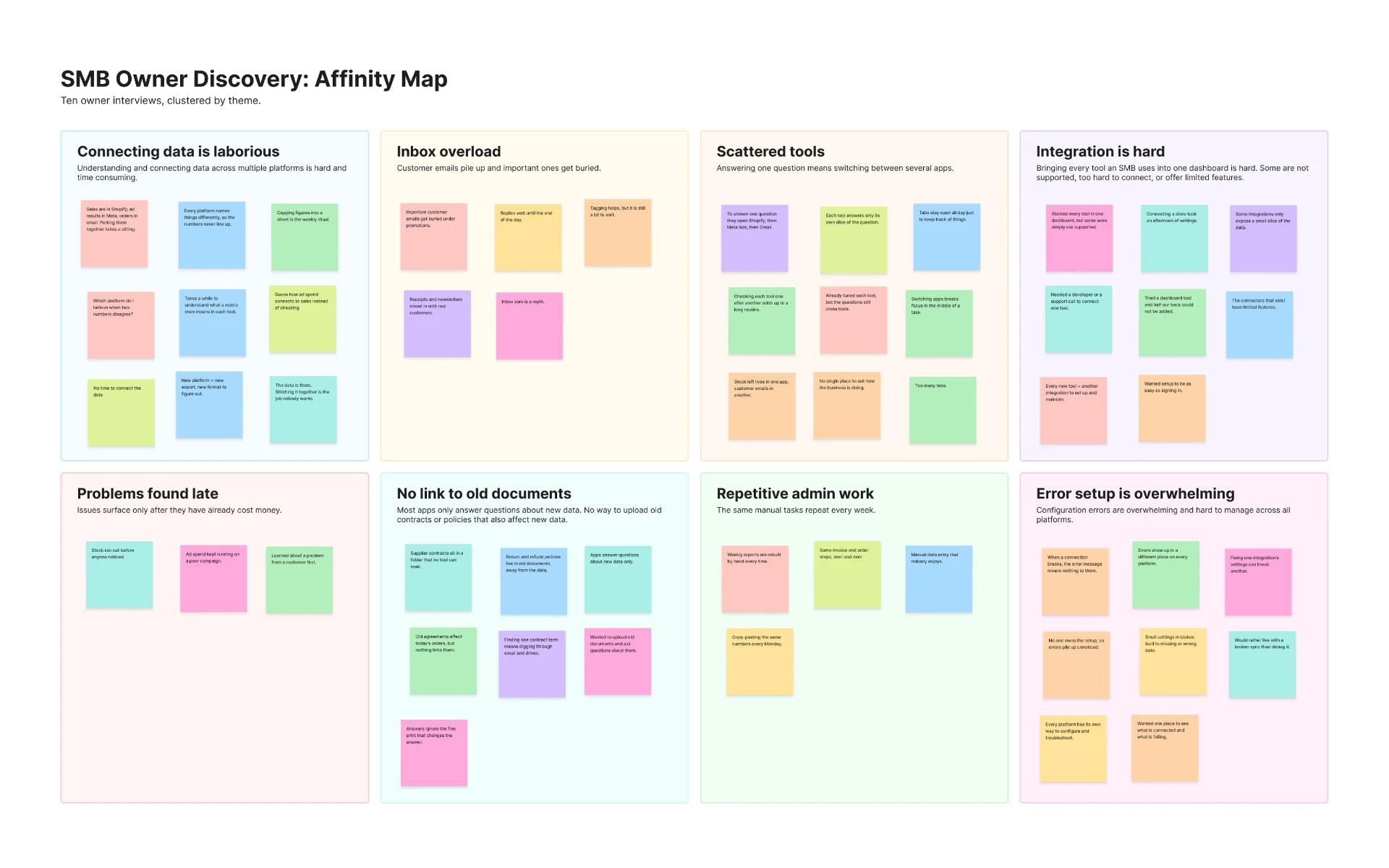
I spoke with 10 small-business owners to understand where daily work breaks down and where a new tool could help them.
Pain point 01
Finding answers is slow
Answering one business question means hunting through data across platforms by hand.
Pain point 02
Scattered tools and app switching
Answering one simple question often means switching between several apps.
Pain point 03
No connection to old docs
Most tools only see new data, so there's no way to bring in old contracts or past policies that still matter today.
Pain point 04
Integrations are hard
Some tools aren't supported, others offer limited features, and many are hard to connect.
Opportunities for the MVP
Turning pain points into a focused first release
Opportunity 01
AI Chat
Owners ask questions in plain language and get answers drawn from all their connected data.
Opportunity 02
Multiple Dashboards in One
Owners see data from all their tools in one place.
Opportunity 03
Upload Old Documentation
Owners upload past documents, which feed the knowledge base and help answer new questions.
Opportunity 04
Easy Integration
Out-of-the-box connections to the tools SMB owners already use.
Key decisions
The calls that shaped Rundown
Before testing, we made three scoping calls: what Rundown connects to, what it knows, and what it's allowed to do.
Code
One knowledge base
Live data and documents together
Rundown
Dashboards + grounded chat
Answers only from the owner's data
Initial design
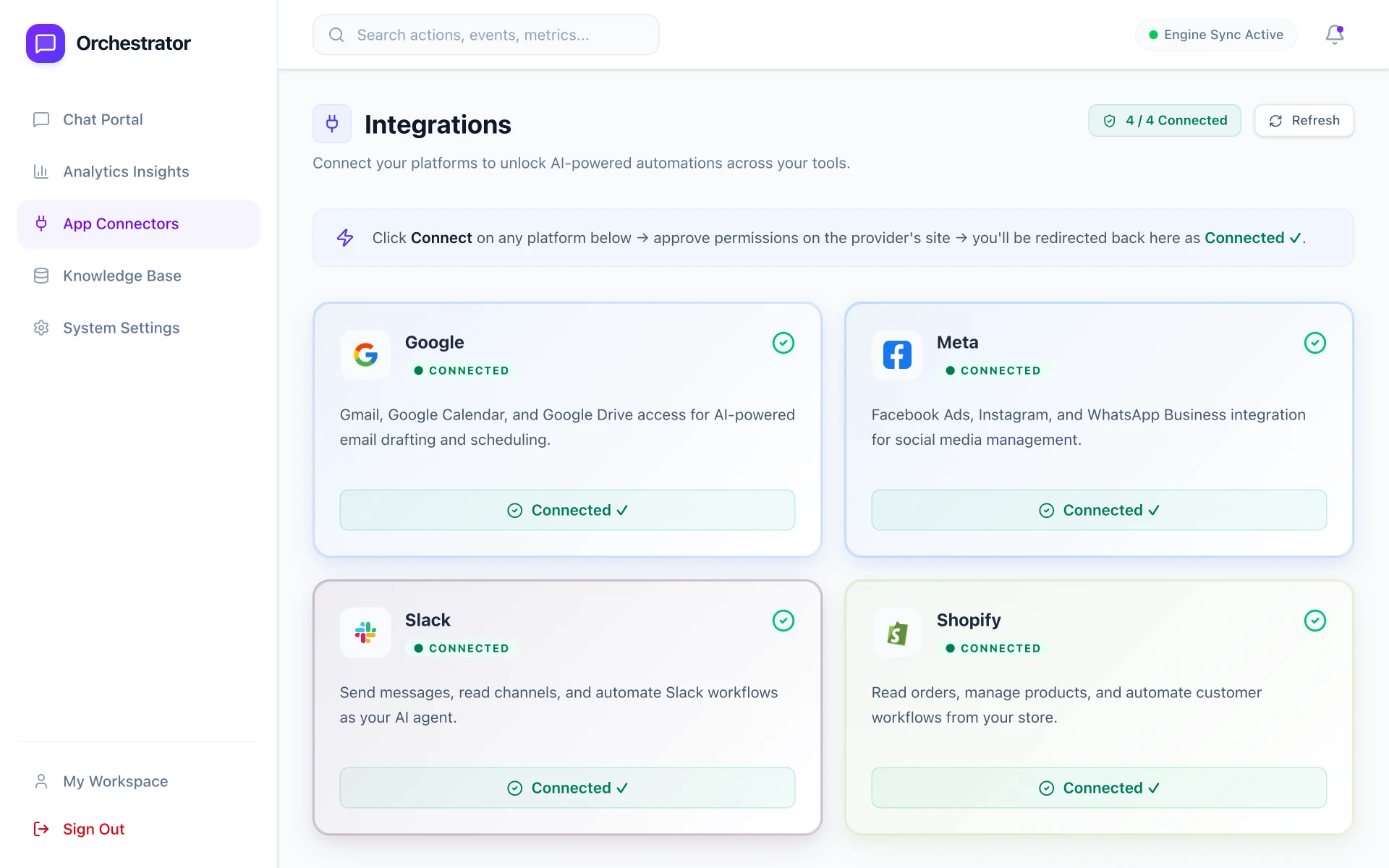
First pass at the dashboard
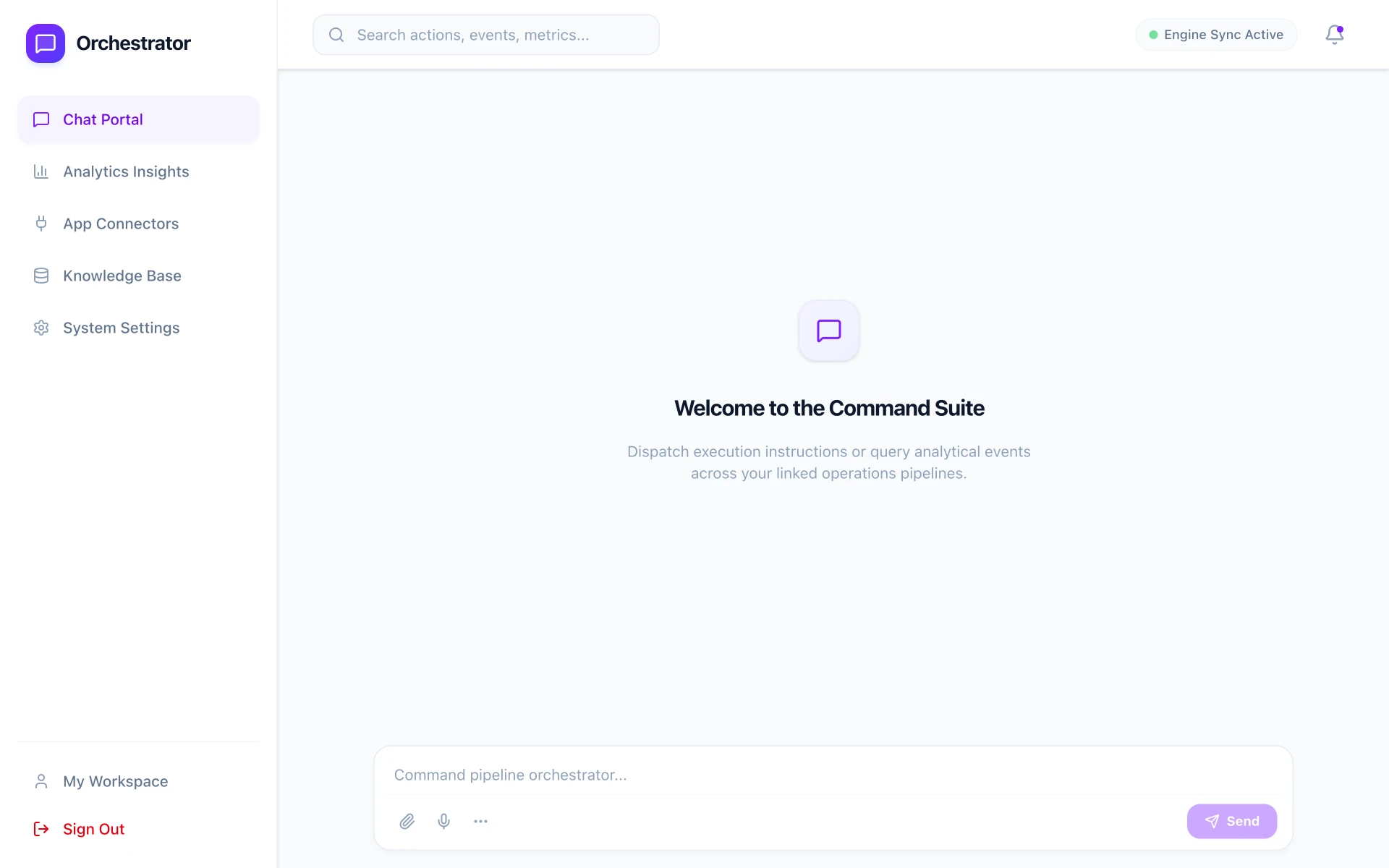
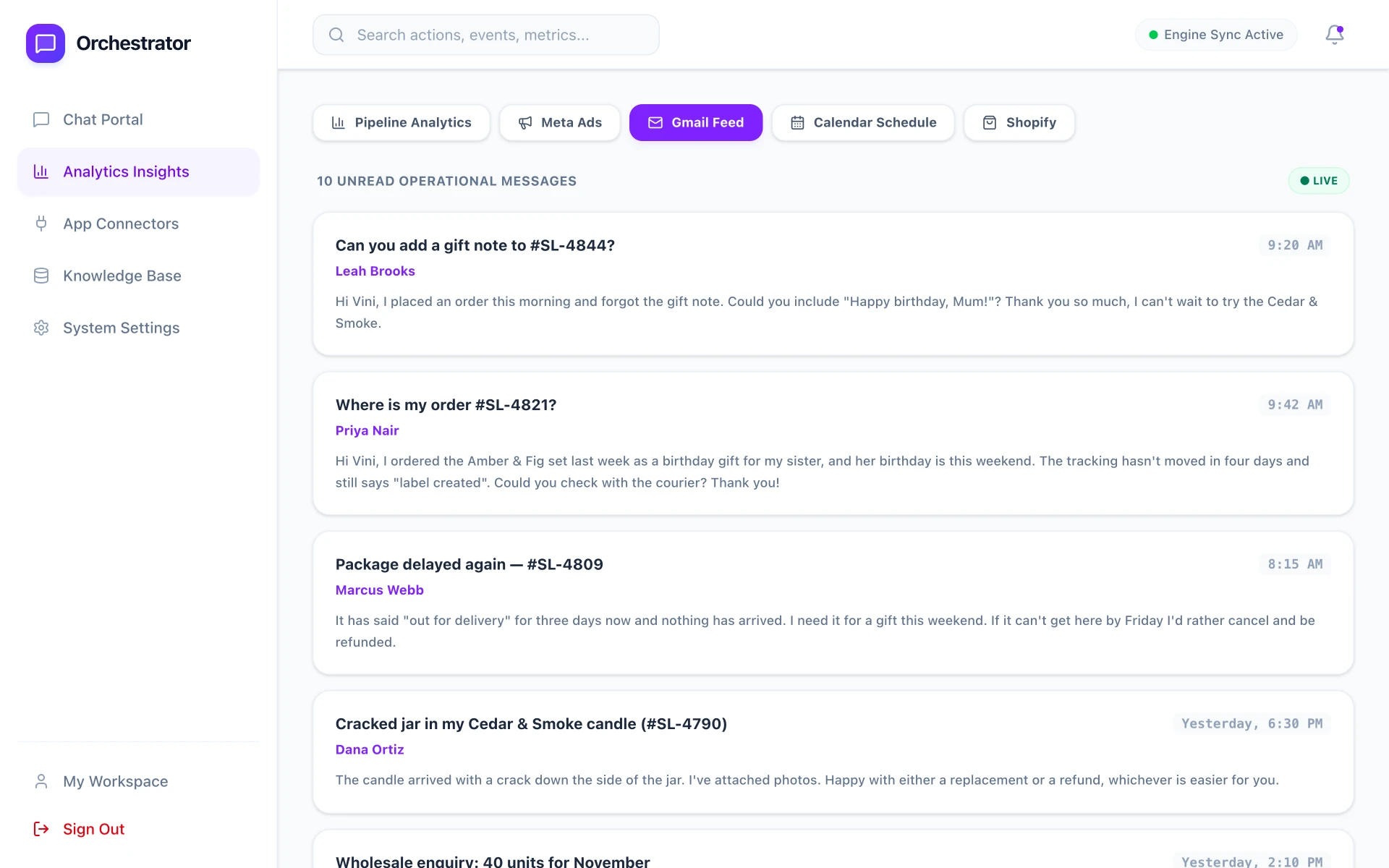
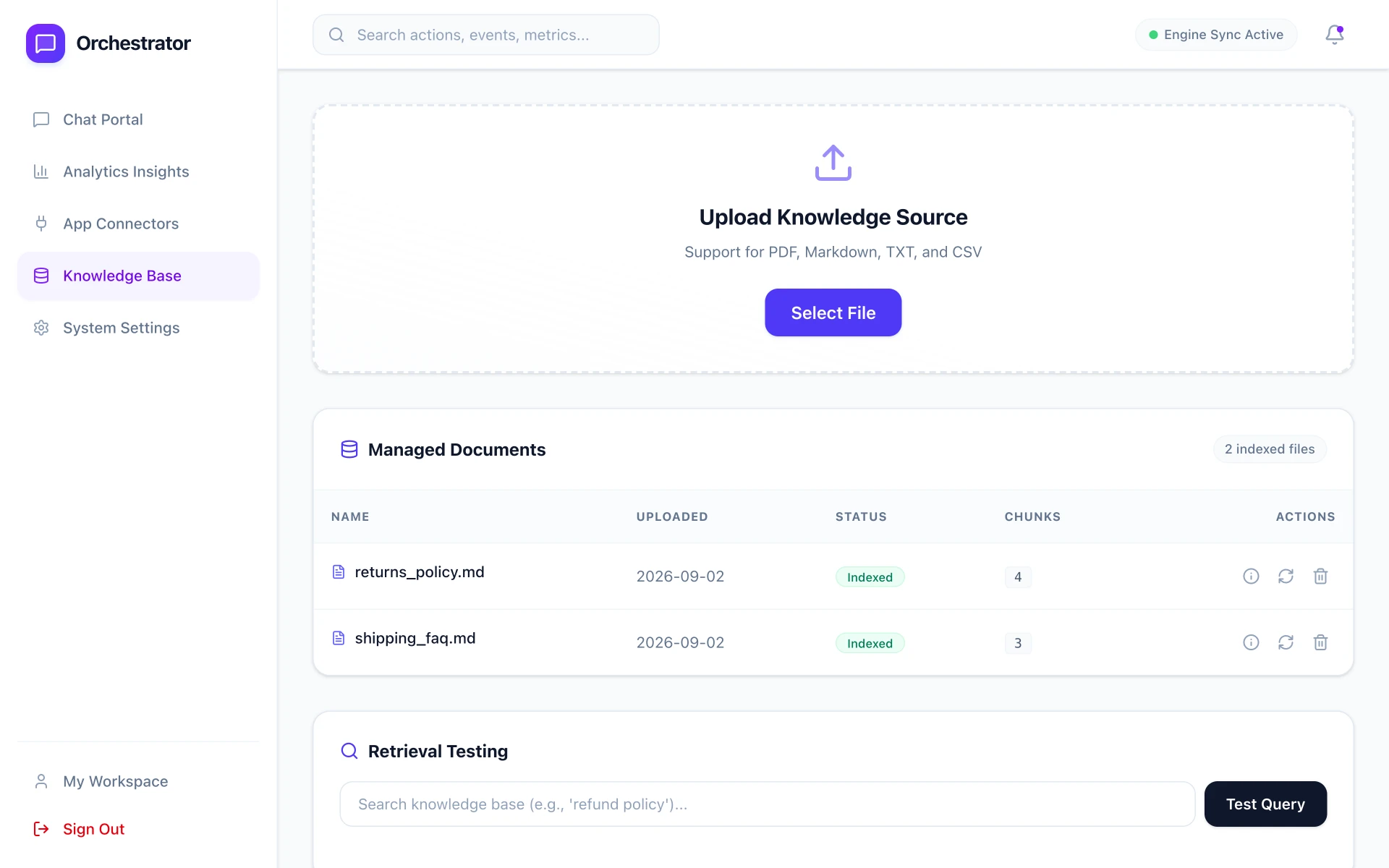
Before putting the prototype in front of five SMB owners, I sketched a first UI pass around the four MVP opportunities.
Validation
What testing changed
To validate the solution, we ran usability tests and workflow evaluations with 5 small-business owners. What we learned shaped the MVP's features and roadmap.
Finding
Core value: 38% less time per task
All 5 owners completed their test tasks faster than with their existing multi-tool setups: average time dropped from 19.5 to 12 minutes.
Impact
A clear signal to keep building
The time savings confirmed the core value proposition and gave the team the go-ahead to continue development, with a concrete metric to track from here.
Finding
The Gmail integration added nothing new
3 of 5 users said it worked too much like the native Gmail app to be worth switching for.
Impact
Redesigned it as action-oriented inbox triage
I rebuilt the integration around actions. Emails are sorted into 3–4 categories, each with a short AI summary and a one-line next step to resolve the thread.
Finding
Owners didn't know what to ask
All 5 owners found the AI chat valuable, but hit a blank-canvas problem: they weren't sure what tasks or questions it could handle.
Impact
Added prompt suggestions to the empty state
I added contextual prompt suggestions to the chat's empty state, so owners see what Rundown can answer before they type.
Finding
Requests for a unified error console
2 of 5 users asked for one place to see errors and anomalies across all their platforms.
Impact
Deferred to v2 to protect the launch
I moved this to the v2 roadmap so we could focus on the stability of core workflows and hit our launch date.
Product walkthrough
The product, screen by screen
Each screen was reworked around what owners told us in testing.
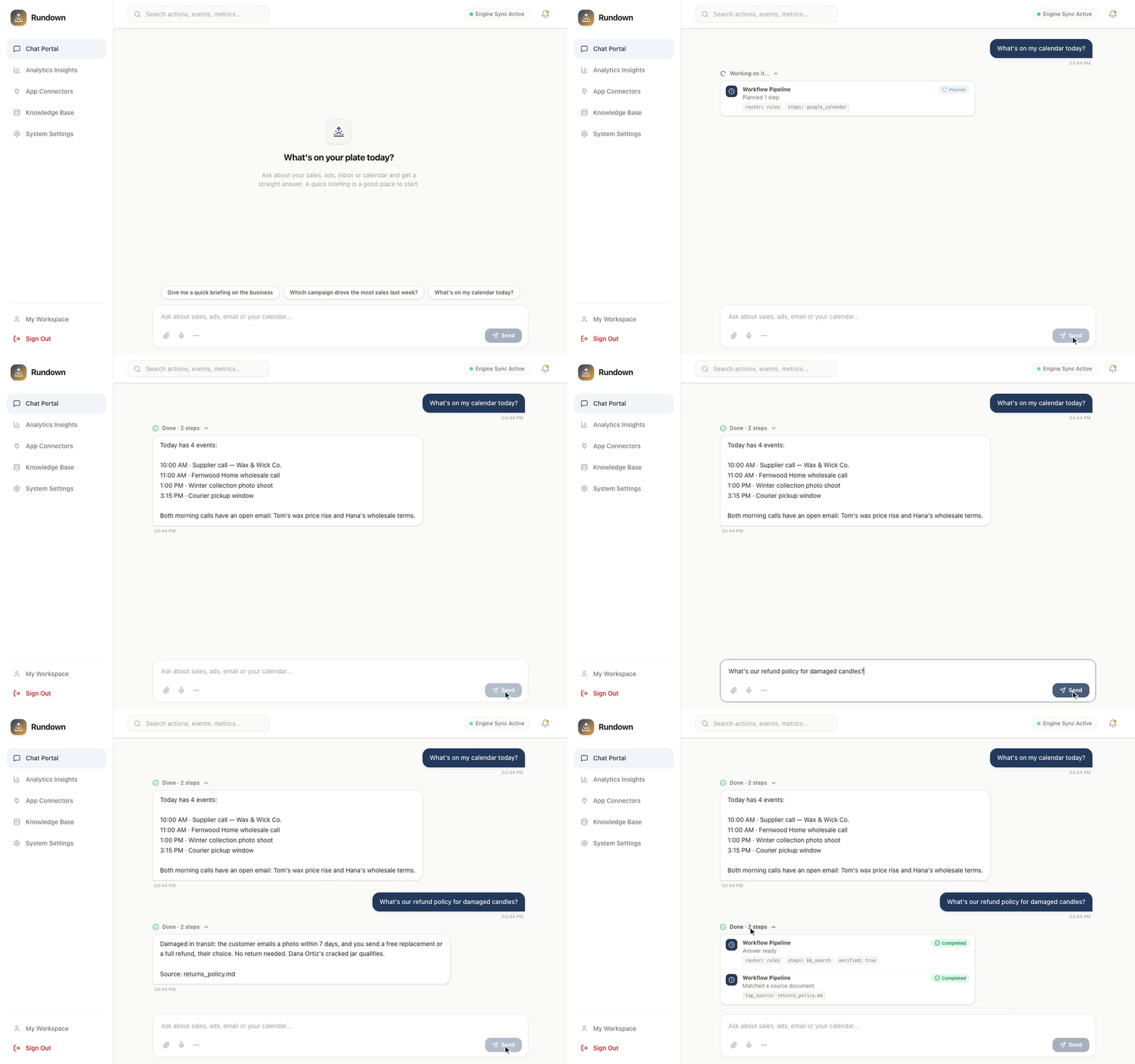
AI Chat
Owners ask in plain language and get answers grounded in their own data.
Connects to pain point 01
Multiple Dashboards in One
Owners see all their scattered dashboards together in one place.
Connects to pain point 02
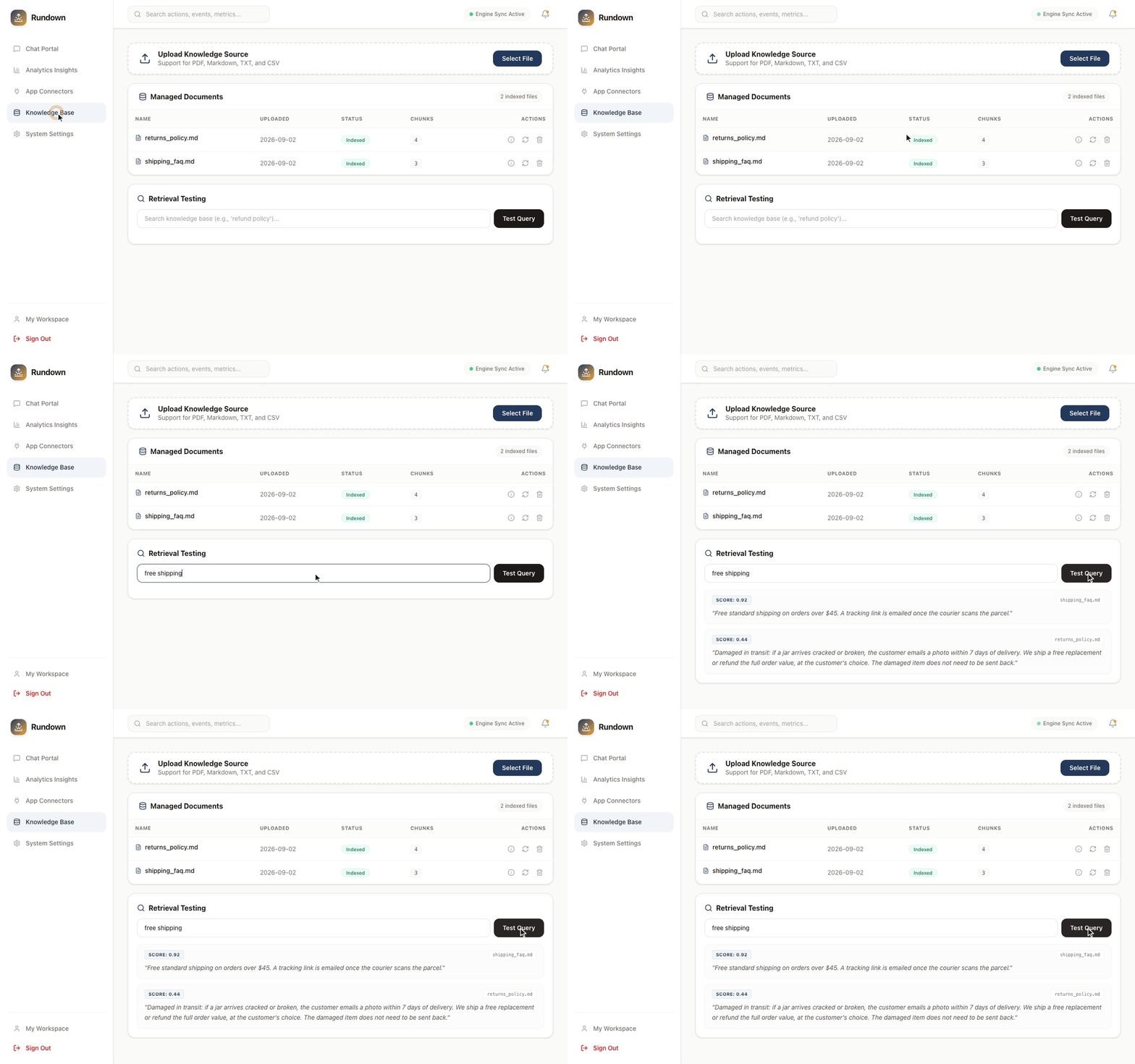
Upload Old Documentation
Owners upload contracts and policies; Rundown indexes them so the chat can answer from them.
Connects to pain point 03
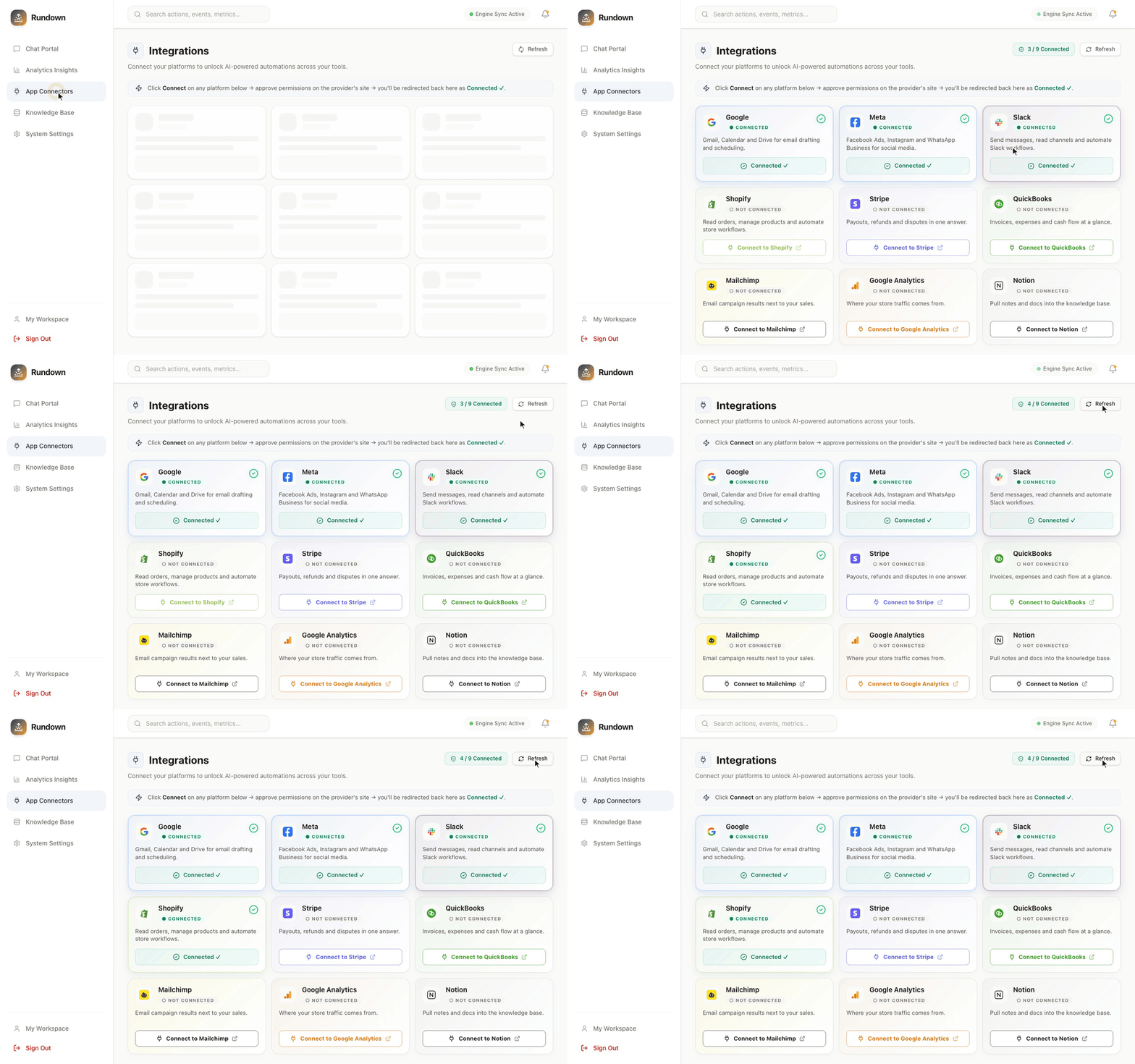
Easy Integration
One-click connections to Shopify, Meta and Google (Gmail and Calendar), so owners skip setup and see their data right away.
Connects to pain point 04
See it in action
Learnings
What I'd carry forward
01Solve the context problem before the automation problem
With AI, the instinct is to jump straight to an agent that acts for you. But owners' real bottleneck was gathering context, not doing the work. We'd already built actions and held them back. Earning trust with answers first is what makes automation worth trusting later.
02A blank canvas is a barrier, not a feature
I assumed natural-language chat was intuitive. Every tester stalled at the empty text box because they didn't know what Rundown could answer. In AI products, prompt suggestions aren't an extra; they're how you teach users to talk to the system.
03Aggregation without synthesis is just noise
I expected the Gmail integration to be an easy win. Instead it just mirrored native Gmail. Pulling a tool into a new dashboard saves no time unless Rundown does work the original app can't, which is why we rebuilt it around triage.
04The architecture is the product
It's tempting to treat the chat as the product. But most of the work behind the 38% was unglamorous: normalizing four APIs and uploaded documents into one queryable knowledge base. In data-unification tools, a flawed data layer sinks even the best chat interface.